
Pick the "Windchimes" ringtone to hear Michael's phone from GTA 5
In the phone settings, the ringtone called Windchimes is the same ringtone Michael De Santa used in GTA 5, so Jason or Lucia can carry a piece of Los Santos around Vice City.
- Reference to
- Michael's ringtone, GTA 5
- Credited to
- T5G (YouTube)
- Discovered
- Nov 18, 2026
- Last checked
- Nov 19, 2026
- Platforms
- PlayStation 5, Xbox Series X|S
- Location
- In-game phone, Settings > Ringtones
Under Investigation
Evidence is mixed or recent reports disagree. Treat with caution until re-checked.
Pictures


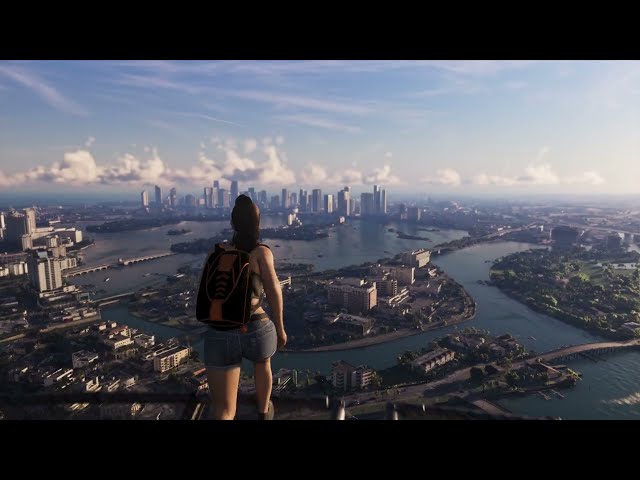
Frames from 30 Secrets & Easter Eggs In GTA 6! by T5G, shown via YouTube.
Got your own capture? Wanted: Capture the phone's ringtone menu with Windchimes highlighted. Upload it.
Watch how it’s done
Step by step
- 1
Open settings
Open the in-game phone, go to Settings, then Ringtones.
- 2
Pick Windchimes
Select Windchimes to preview Michael's GTA 5 ringtone.
Sources & credit
Comments
Related discoveries

Michael De Santa's old boat from GTA 5 sits outside Jason's safehouse
The rusty boat parked at Jason's safehouse appears to be Michael's boat from GTA 5. Climb aboard from the back and the screen by the steering wheel still shows a map of Los Santos. YouTubers T5G and Robbin Rams both point to it as the proof; how it ended up in Leonida is never explained.
WKTT "We Know The Truth" talk radio returns from GTA 4
The conservative call-in talk station WKTT, last heard in GTA 4's Liberty City, is back with its bald-eagle-and-flag logo and the series' trademark satire. A second talk show, The Wipe, covers Leonida's oddities and can tip you off to weird things you haven't found yet.
Extended Look: a "Righteous Slaughter: Hood Ops" shirt continues GTA 5's game-within-a-game
Early in the Extended Look, an NPC wears a Righteous Slaughter: Hood Ops shirt. Righteous Slaughter 7 is the shooter Michael's son Jimmy plays in GTA 5, so IGN reads this as the series' next instalment in-universe.

Extended Look: TV ad showing a Red Dead Redemption 2 landscape
A TV commercial in the Extended Look shows a wide landscape with animals that a Reddit user matched to a real spot in Red Dead Redemption 2's map, with some added rocks, trees and wildlife.